Find your workspace ID
Learn how to find the unique identifier (ID) of your workspace in Kaptive.This guide explains how to find the unique identifier (ID) of your workspace in Kaptive.
Find your workspace ID
Section titled “Find your workspace ID”-
Open the workspace
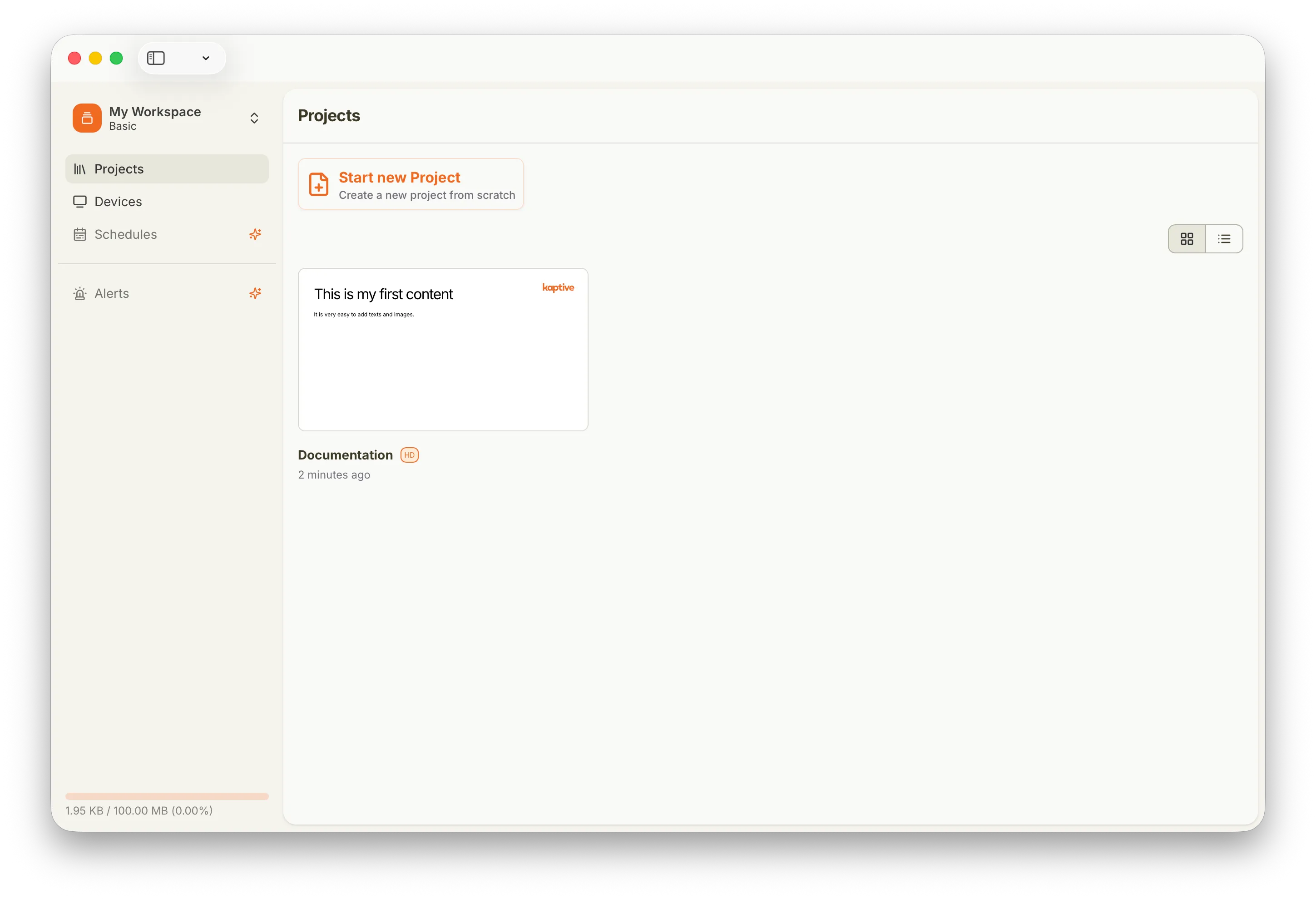
Sign in to Kaptive Manager and navigate to the projects page of your workspace.
-
Open Settings
Click on the workspace name in the top left corner to open the dropdown menu, then select
Settings.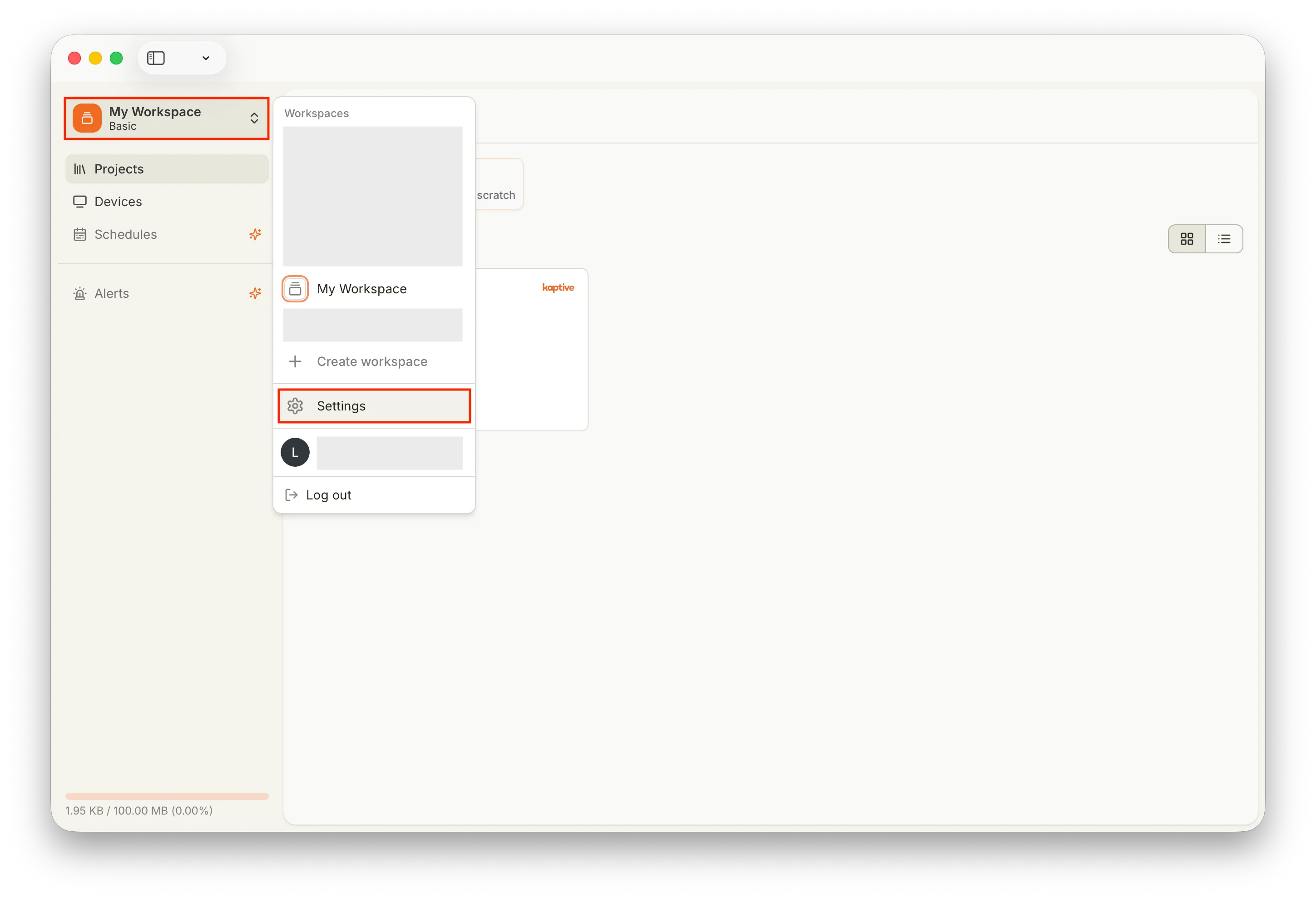
-
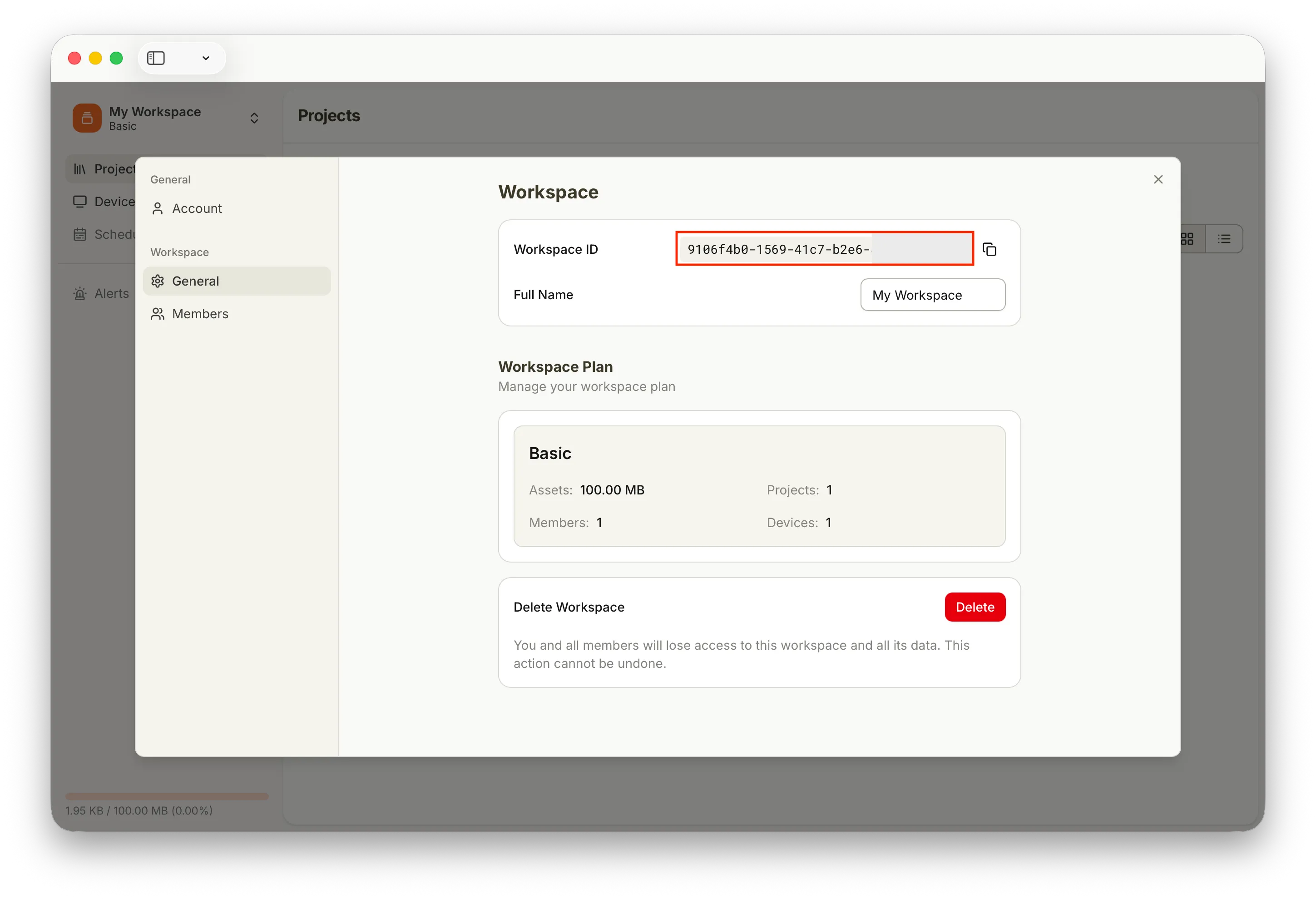
Copy the workspace ID
In Settings, under General, you will find the workspace ID. Click the copy icon next to the ID to copy it to your clipboard and send it to us by email at info@kaptive.ch.